Home›Companions›Generate›Dyed Hair AI Generator
Dyed Hair AI Generator
A dyed hair AI generator here means choosing a woman whose colour is already hers and asking her for a picture in chat. You describe the shot, press generate, and what comes back is a message from her rather than a file in a queue, so you can answer it and ask for the next one from inside the same conversation. Making it is free; opening the finished result costs Sparks.
An empty message fills in when the file is ready
Press generate and a placeholder appears in her chat almost at once. It is an empty message with her name on it, and it fills in when the file is ready, which takes minutes for a photo and longer for a video. Nothing has to stay open while it is made, and there is no progress bar to sit and watch.
That placeholder is why this does not feel like a render queue. The thing you asked for lands in the same thread as everything else she has said to you, in order, between her messages. You asked her; she answered. The picture is the answer.
It also means there is somewhere for the conversation to go next. You can carry on talking to her where you left off and ask for the next shot without starting from a blank box. Her chat keeps all of it: results are stored indefinitely, and once you have paid to open one it stays open to you.
Why does a picture need a conversation around it?
An empty generator box asks you to specify everything at once, because it knows nothing about which woman you mean or what she is like. A chat has most of that settled already. You have been talking to her, she has a character written in advance and a face that does not move between pictures, and the request is one more turn in something that already has a direction.
In practice that shortens what you have to type. You are not re-describing the woman, the mood or the relationship, only the shot. And because the generation takes minutes rather than seconds, you have something to do while it runs: keep talking to her, which is usually where the request came from in the first place.
The honest limit is that she is not aware of the picture as a picture. She sends it and the conversation carries on, but do not expect her to discuss the file she just delivered as though she had looked at it. The talking and the making are two systems sharing one thread.
Her colour is hers, and your words will not repaint it
Every Muse's appearance is attached to her character on the generation side, not worked out from the sentence you type, and hair colour is part of that. The woman with silver-grey hair in the row above will have it in every picture she ever sends you, and the one with the pink-and-blue dye keeps that one too.
The weakness in that is worth stating plainly: you cannot ask for a recolour. Type make her hair teal at a Muse whose hair is rose gold and her hair still comes back rose gold, because the colour stays hers and those words are spent on something that cannot land. If you want a different colour, that is a different Muse, and the choice is the row above the text, not the box.
What you get for the trade is continuity. The colour, the cut, the build and the face come back the same every time, which is what makes a dozen pictures read as one recognisable person instead of a dozen relatives. It also means your description can spend all of its words on the scene.
These are photographs, not drawings
Dyed hair is a search that usually leads to illustration: pastel anime crops, cel-shaded hentai, that whole look. We do not make any of it. Every Muse here is photorealistic, and the only thing this tool returns is something meant to read as a photograph of a woman.
So the colour behaves like dye on real hair rather than flat fill. The colours here are real dye jobs — rose gold, ombré, silver, purple, pink and blue — not the flat pastels a drawing would use. If what you pictured was a drawing, this is the wrong tool, and it is better to realise that now than after paying to open a result.
There are no style controls to push it either way, and no technical controls at all: no model to choose, no resolution, no duration, no negative prompt, no seed. You write the scene and the pipeline decides the rest.
What should you actually type in the box?
The field takes plain text, from 5 to 1,500 characters, with no syntax to learn: no weights, no brackets, no tag lists. Around twenty words is where most requests work best. The room, the light, what she is wearing or not wearing, what she is doing, where the camera is standing. Those are things a photograph can show.
If you would rather not start from nothing, there is a row of ready scenes above the box and a button that picks one at random. Both drop editable text into the same field, so treat them as a first draft to cut down rather than a menu to order from.
Your text is also cleaned before it goes anywhere. Invisible characters are stripped out, and wording that tries to talk past the instructions instead of describing a scene is rejected. Wording that sexualises anyone under 18 is refused. These filters are blunt and will sometimes catch an innocent sentence; put it in plain adult English and it usually goes through.
20 Sparks opens a photo, 50 a video; asking is free
Generating costs nothing, and that includes the attempts that come back wrong: nothing is deducted when a request fails. The charge sits on opening the result, at 20 Sparks for a photo and 50 for a video, in credits only. A new account starts with 50, which is two photos or one video. Premium does not waive it, so a premium account pays the same 20 and 50.
One request returns one file. There is no grid of variants, no quantity setting and no retry button beside a result you did not like, so a near miss means writing a new description and sending it, which costs nothing again. Changing one element and leaving the rest of the sentence alone is the closest thing here to steering.
And there are no uploads. No reference images, no face swapping, no editing a photograph you already have, which is also why no real person's face can end up in a result. Every picture is a new one of a written, fictional adult.
12 Muses you can ask right now
Questions
Is the dyed hair AI generator free?
Making the photo or video is free, failed attempts included, and nothing is deducted when a request does not work. Opening a finished photo costs 20 Sparks and a video 50, paid in credits. A new account starts with 50, which is two photos or one video.
Can I ask her to dye her hair a different colour?
No. Her appearance, colour included, is fixed on her character rather than read from your description, so asking for a recolour only contradicts her. Pick the Muse whose colour you wanted from the row above and spend your words on the scene instead.
Do you make anime or pastel-cartoon dyed hair?
No. Every Muse is photorealistic and so is everything the tool returns. Drawn, cel-shaded and hentai styles are not something we offer, and there is no style setting that would ask for them.
Where does the result show up?
In your chat with her. A placeholder message appears almost immediately and fills in when the file is ready, which is minutes for a photo and longer for a video, so you can keep talking to her while it is made. What arrives stays in that chat indefinitely.
What happens if the picture is not what I meant?
Nothing is charged for a request that fails or disappoints, and there is no retry button. You write a fresh description and send it again. Changing a single element and leaving the rest of your wording alone is the quickest way to find out which word was the problem.
Can I upload a photo of someone whose hair colour I like?
No. There are no uploads anywhere in this tool, no face swaps and no images of real people. Every result is a new picture of a Muse written for this platform, and with no way to bring a photograph in there is no route for a real face to get into one.
Other things to ask for

 Celia
 Renata
 Dominique
 Paloma
 Priyanka
 Eliska
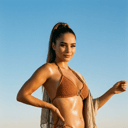 Lucia
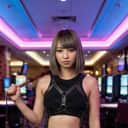 Mei
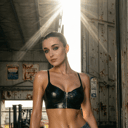 Daria
 Mirela
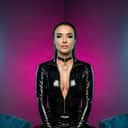 Yasmine
 Ophelia